In this article 18 sections
- How to Build a Time Management System You Can Stick To
- Step 1: Define Your Long-Term Goals
- Step 2: Create One Trusted Task List
- Step 3: Capture Everything
- Step 4: Organize Your Tasks
- Step 5: Separate Projects From Tasks
- Step 6: Choose Your Priorities
- Step 7: Put Time-Specific Commitments on Your Calendar
- Step 8: Schedule Focus Blocks
- Step 9: Estimate How Long Tasks Will Take
- Step 10: Build a Weekly Planning Routine
- Step 11: Use a Daily Planning Routine
- Step 12: Create Rules for Distractions
- Step 13: Create a “Not Now” List
- Step 14: Leave Space for Unexpected Work
- Step 15: Review and Improve Your System
- Final Thoughts
- Frequently Asked Questions
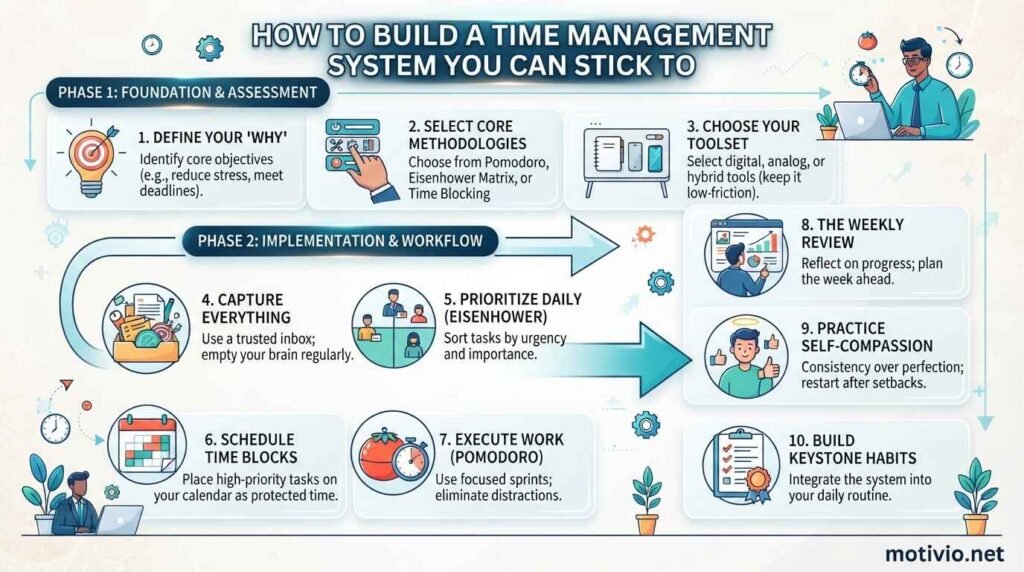
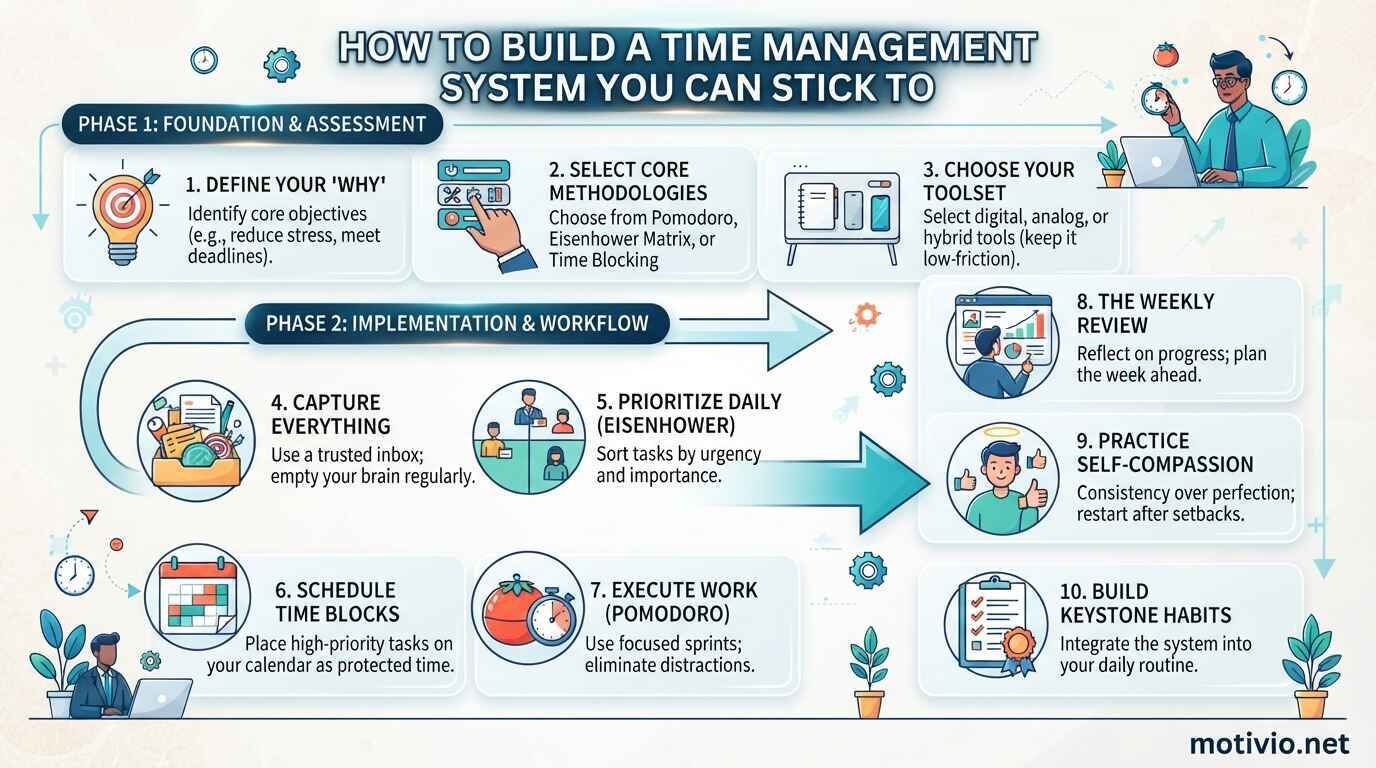
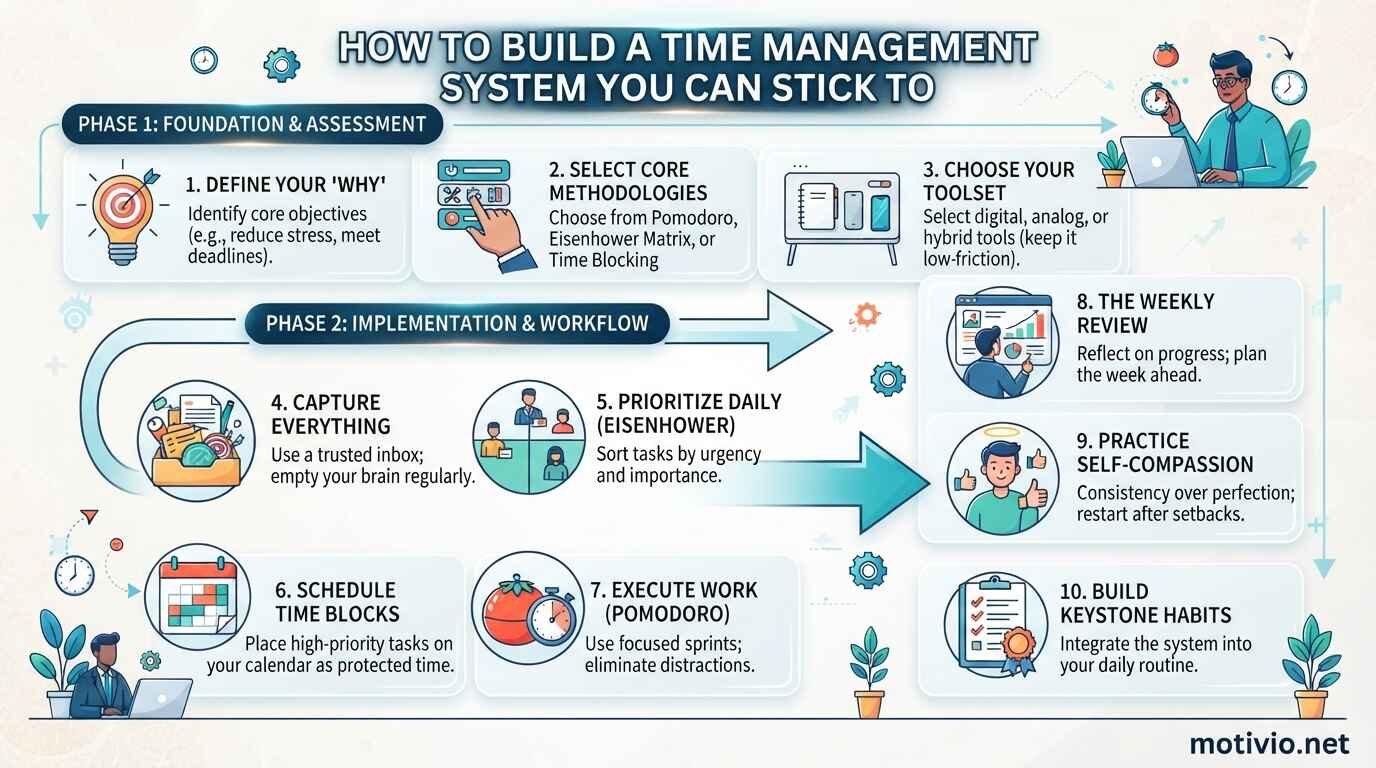
How to Build a Time Management System You Can Stick To
Many people have tried productivity apps, planners, calendars, to-do lists, and complicated scheduling methods.
Yet they still feel overwhelmed.
The problem is often not a lack of productivity tools. The issue lies in the absence of a simple time management system that connects goals, priorities, tasks, and schedules.
A good system should make your work easier—not create another job.
What Is a Time Management System?
A time management system is a repeatable method for deciding:
– What you need to accomplish
– What should be done first
– When tasks should be completed
– How much time to allocate
– What can be postponed
– What can be delegated
– How to review your progress
Instead of relying on memory, you create an external system that helps you manage your commitments.
Step 1: Define Your Long-Term Goals
Before creating daily schedules, identify what you are trying to achieve.
Your goals might include:
– Advancing your career
– Growing a business
– Increasing income
– Learning a new skill
– Improving health
– Spending more time with family
– Completing an important project
A time management system becomes more useful when daily activities are connected to larger objectives.
Step 2: Create One Trusted Task List
Avoid keeping tasks in multiple places.
You might have:
– Notes on your phone
– Sticky notes
– Email reminders
– A notebook
– A project management app
– Mental reminders
This makes information difficult to manage.
Choose one primary location for tasks.
Your calendar should generally be used for events that happen at specific times, while your task list can contain actions that need to be completed.
Step 3: Capture Everything
Whenever something needs your attention, capture it.
For example:
– Call a client
– Submit a report
– Research a topic
– Buy office supplies
– Schedule an appointment
– Review a proposal
Getting commitments out of your head reduces the need to remember everything.
Step 4: Organize Your Tasks
A long list can become overwhelming.
Organize tasks using categories such as:
– Work
– Personal
– Business
– Finance
– Learning
– Projects
You can also organize them by priority.
Step 5: Separate Projects From Tasks
A project is usually a result that requires multiple actions.
For example:
**Project:** Launch a website.
**Tasks** might include:
– Purchase domain
– Choose hosting
– Create website structure
– Write homepage content
– Create category pages
– Test mobile layout
– Publish
Breaking projects into individual actions makes them easier to execute.
Step 6: Choose Your Priorities
Not every task deserves immediate attention.
Each day, identify your highest-value priorities.
A simple system is:
– A — Critical: Must be completed or addressed soon.
– B — Important: Should be completed but has more flexibility.
– C — Optional: Useful but not essential.
Do not allow a long list of low-priority tasks to crowd out important work.
Step 7: Put Time-Specific Commitments on Your Calendar
Your calendar should contain activities that must happen at particular times.
Examples:
– Meetings
– Appointments
– Classes
– Interviews
– Calls
– Deadlines
– Focus blocks
This gives you a realistic picture of your available time.
Step 8: Schedule Focus Blocks
Do not simply put tasks on a to-do list and hope you find time for them.
Reserve time for important work.
For example:
– 9:00–10:30: Project development
– 10:30–11:00: Email
– 11:00–12:00: Client work
– 2:00–3:00: Strategic planning
This turns intentions into scheduled commitments.
Step 9: Estimate How Long Tasks Will Take
People frequently underestimate task duration.
If you think a report will take 30 minutes, record the actual time.
After several weeks, you will develop better estimates.
More accurate estimates make your schedule more realistic.
Step 10: Build a Weekly Planning Routine
A weekly review can help keep your system organized.
Choose one consistent time each week.
Review:
– Completed tasks
– Unfinished tasks
– Upcoming deadlines
– Calendar commitments
– Long-term goals
– Current projects
– Priorities for next week
Then create your schedule for the next week.
Step 11: Use a Daily Planning Routine
At the beginning of each day:
– Check your calendar.
– Review your task list.
– Identify your top priorities.
– Schedule focused work.
– Check for deadlines.
– Remove unnecessary tasks.
Keep your daily plan realistic.
Step 12: Create Rules for Distractions
A productivity system needs boundaries.
For example:
– **Email:** Check three times per day.
– **Notifications:** Disable nonessential alerts.
– **Social media:** Use only during designated breaks.
– **Phone:** Keep it away during deep work.
– **Meetings:** Require an agenda when practical.
Rules reduce the number of decisions you need to make.
Step 13: Create a “Not Now” List
Interesting ideas often appear when you are working.
You may suddenly think:
– “I should research this.”
– “I should redesign my website.”
– “I should start another project.”
Instead of immediately switching tasks, write the idea on a “Not Now” list.
Review it during your weekly planning session.
Step 14: Leave Space for Unexpected Work
Your system should have flexibility.
If your entire day is scheduled from 8:00 AM to 6:00 PM, one unexpected problem can disrupt everything.
Leave buffer time for:
– Urgent requests
– Delayed meetings
– Technical problems
– Client issues
– Administrative work
Step 15: Review and Improve Your System
A time management system should evolve.
At the end of each week, ask:
– What worked?
– What didn’t?
– Where did I lose time?
– Which tasks took longer than expected?
– Which meetings were unnecessary?
– What can I automate?
– What can I delegate?
Then make one or two changes.
A Simple Time Management System You Can Start Today
You don’t need expensive software.
Start with:
– **Calendar:** For appointments and scheduled commitments.
– **Task list:** For actions you need to complete.
– **Weekly review:** For planning.
– **Daily priorities:** For deciding what matters today.
– **Focus blocks:** For important work.
– **Not Now list:** For ideas and distractions.
This simple structure can be adapted to almost any profession.
Why Most Productivity Systems Fail
A system often fails because it becomes too complicated.
Common problems include:
– Too many apps
– Too many categories
– Excessive planning
– Unrealistic schedules
– Constantly changing systems
– Tracking everything but completing little
– Creating massive task lists
The best system is usually the one you can maintain consistently.
Final Thoughts
Creating a time management system is not about finding the perfect productivity app.
It is about creating a reliable process for capturing, organizing, prioritizing, scheduling, executing, and reviewing your work.
Start small.
Use one calendar, one task list, daily priorities, focused work blocks, and a weekly review. Once these habits become consistent, you can add automation or more advanced tools if they genuinely improve your workflow.
Frequently Asked Questions
How do I create a simple time management system?
Start with one task list, one calendar, daily priorities, scheduled focus blocks, and a weekly review.
What is the difference between a calendar and a task list?
A calendar is best for activities tied to specific dates or times. A task list is useful for actions that need completion but may not have a fixed time.
How often should I review my time management system?
A weekly review is a practical starting point. You can also conduct a more detailed monthly review.
Why do productivity systems fail?
They often become too complicated, unrealistic, or difficult to maintain. A simple system that you consistently use is usually more practical than a sophisticated system you abandon.
Can I create a time management system without an app?
Yes. A notebook, calendar, and simple task list can be enough. Digital tools are optional.