In this article 20 sections
- How to Build an AI Productivity System That Fits Your Work
- Step 1: Identify Your Biggest Productivity Problems
- Step 2: Create a Central Productivity Hub
- Step 3: Use AI for Daily Planning
- Step 4: Build an AI Task-Triage Workflow
- Step 5: Create Reusable AI Prompts
- Step 6: Use AI for Meeting Management
- Step 7: Automate Repetitive Workflows
- Step 8: Use AI for Writing and Editing
- Step 9: Use AI for Research
- Step 10: Build an AI Knowledge Assistant
- Step 11: Use AI for Weekly Reviews
- Step 12: Create an AI Morning Routine
- Step 13: Create an AI Evening Review
- Step 14: Protect Your Data
- Step 15: Measure Whether AI Is Actually Saving Time
- A Simple AI Productivity System
- Example of an AI-Powered Workday
- Final Thoughts
- Frequently Asked Questions
How to Build an AI Productivity System That Fits Your Work
Artificial intelligence is changing how people work.
AI tools can help professionals summarize information, draft documents, organize ideas, analyze data, generate plans, and automate repetitive tasks.
However, simply using an AI chatbot occasionally does not create an AI-powered productivity system.
A true system connects AI with your goals, tasks, calendar, information, and repeatable workflows.
The goal is not to let AI do everything; rather, it is to use AI where it can reduce repetitive work and help you spend more time on valuable activities.
What Is an AI-Powered Productivity System?
It can help you:
– Plan your day
– Prioritize tasks
– Summarize information
– Draft documents
– Organize ideas
– Research topics
– Analyze information
– Create checklists
– Automate repetitive workflows
– Review productivity patterns
Think of AI as a productivity assistant, not a replacement for your judgment.
Step 1: Identify Your Biggest Productivity Problems
Before adding AI, identify where you lose time.
For one week, look for repetitive activities such as:
– Writing routine emails
– Summarizing meetings
– Researching information
– Creating reports
– Organizing notes
– Converting notes into action items
– Creating social media drafts
– Reformatting information
– Managing repetitive administrative work
These are potential opportunities for AI assistance.
Step 2: Create a Central Productivity Hub
Your productivity system needs a place where important information can be organized.
Depending on your workflow, this might include:
– Calendar
– Task manager
– Notes
– Documents
– Project information
– Reference material
– Standard operating procedures
The objective is to reduce scattered information.
Step 3: Use AI for Daily Planning
At the beginning of the day, you can use AI to help analyze your priorities.
For example, provide:
– Today’s commitments
– Deadlines
– Available working hours
– Important projects
– High-priority tasks
AI can help organize these into a practical schedule.
However, you should verify deadlines and priorities yourself rather than blindly following an AI-generated plan.
Step 4: Build an AI Task-Triage Workflow
A useful AI workflow is task classification.
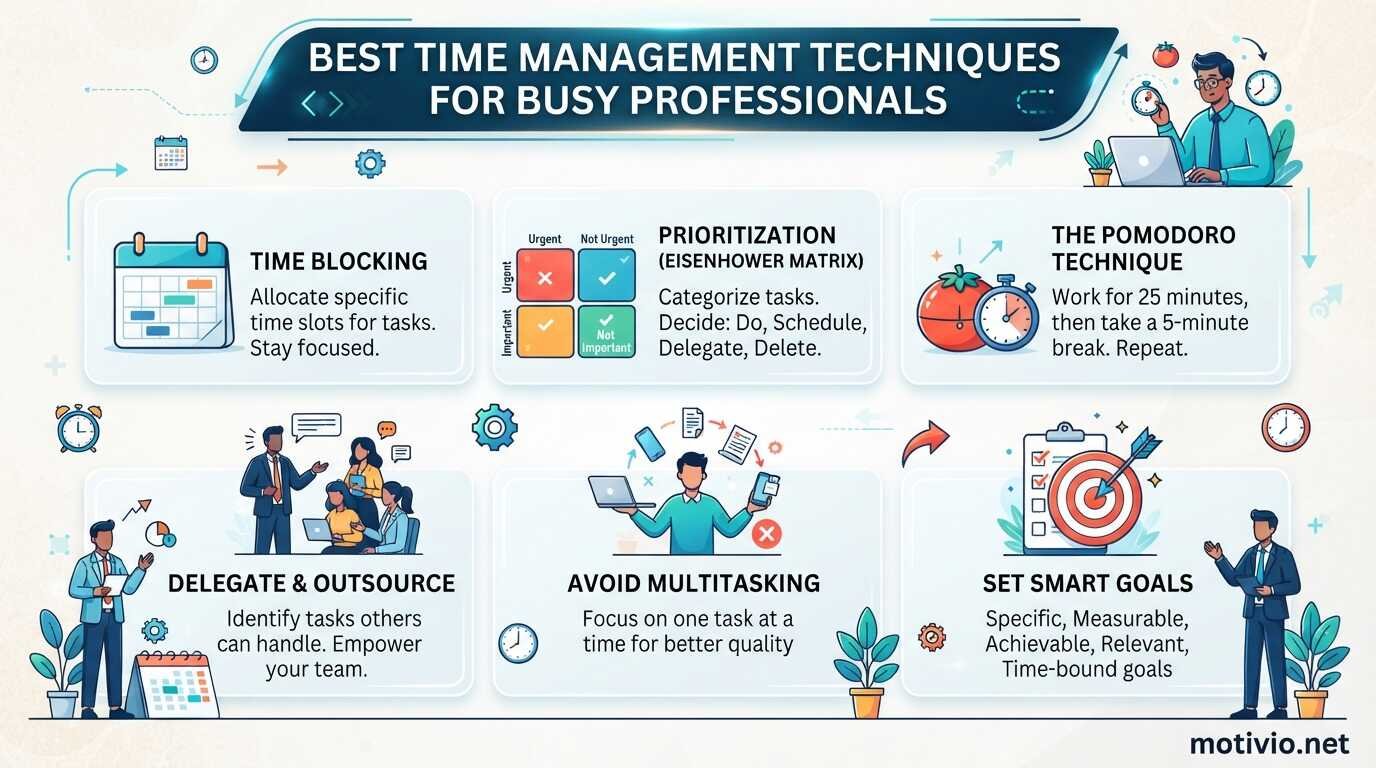
For example, tasks can be categorized as:
– Do: Requires your immediate attention.
– Schedule: Important but can be completed later.
– Delegate: Someone else can handle it.
– Automate: A tool or workflow can handle it.
– Delete: Provides little value.
AI can help classify a large collection of tasks, while you make the final decision.
Step 5: Create Reusable AI Prompts
Instead of writing a completely new prompt every time, create templates.
For example:
**Email Prompt:**
“Rewrite this email to make it concise, professional, and clear while preserving the original meaning.”
**Meeting Summary Prompt:**
“Convert these meeting notes into decisions, action items, responsible people, and deadlines.”
**Research Prompt:**
“Organize this information into key findings, supporting evidence, unanswered questions, and practical next steps.”
Reusable prompts make AI assistance more consistent.
Step 6: Use AI for Meeting Management
Meetings create several tasks beyond the meeting itself.
AI can assist with:
– Summarizing notes
– Identifying decisions
– Extracting action items
– Creating follow-up drafts
– Organizing discussion points
Always consider privacy and organizational policies before putting confidential meeting information into an AI service.
Step 7: Automate Repetitive Workflows
AI becomes more powerful when combined with automation.
A simple workflow could look like this:
New form submission → information extracted → task created → notification sent.
Another example:
Meeting notes → AI summary → action items → task manager.
Automation platforms can connect different applications so that information moves between them without manual copying.
Step 8: Use AI for Writing and Editing
Professionals frequently spend time creating:
– Emails
– Reports
– Proposals
– Summaries
– Presentations
– Marketing material
– Documentation
AI can help create first drafts and improve clarity.
A strong workflow is:
Human idea → AI draft → human review → final version.
This keeps human judgment involved.
Step 9: Use AI for Research
AI can help you structure research questions and identify information gaps.
For example, ask AI to create:
– Research questions
– Topic outlines
– Comparison frameworks
– Interview questions
– Summary structures
– Lists of factors to investigate
For factual or important research, verify information using reliable primary or authoritative sources.
Step 10: Build an AI Knowledge Assistant
If your work involves many documents, an AI-powered knowledge workflow can help you find information faster.
You might organize:
– Company policies
– Product documentation
– Procedures
– Research
– Project documents
– Frequently asked questions
The system can then help locate and summarize relevant information.
Access controls are important when working with confidential material.
Step 11: Use AI for Weekly Reviews
At the end of each week, collect information such as:
– Completed tasks
– Unfinished tasks
– Major projects
– Meetings
– Problems
– Important achievements
AI can help turn this information into a structured review.
You can ask:
– What consumed the most time?
– Which tasks remain unfinished?
– What patterns appear?
– Which repetitive tasks could be automated?
– What should receive attention next week?
The final decisions should remain yours.
Step 12: Create an AI Morning Routine
A simple AI-assisted morning routine could look like this:
1. **Review Calendar:** Check meetings and commitments.
2. **Review Tasks:** Identify deadlines and priorities.
3. **Ask AI to Organize:** Provide relevant information and request a proposed schedule.
4. **Adjust the Plan:** Check whether the proposed schedule is realistic.
5. **Start Focused Work:** Begin with the most important task.
This process can take only a few minutes once established.
Step 13: Create an AI Evening Review
At the end of the day, ask yourself:
– What did I accomplish?
– What remains unfinished?
– Why did certain tasks take longer?
– What needs to move to tomorrow?
– What should be eliminated?
AI can organize your notes into a concise daily review.
Step 14: Protect Your Data
An AI productivity system must include data security.
Before entering information into an AI service, consider whether it contains:
– Passwords
– Financial information
– Private customer information
– Personal identification information
– Confidential business documents
– Proprietary information
Follow your organization’s privacy and security policies.
Do not assume that every AI tool is appropriate for sensitive information.
Step 15: Measure Whether AI Is Actually Saving Time
Using AI is not automatically productive.
Measure results.
For example:
Before AI: Report takes 90 minutes.
After AI: Draft and review take 45 minutes.
Potential time saved: 45 minutes.
Do this across several workflows.
If an AI workflow saves little time or requires extensive correction, redesign or remove it.
A Simple AI Productivity System
You can build your system using five layers.
**Layer 1: Goals**
What are you trying to accomplish?
**Layer 2: Tasks**
What actions need to happen?
**Layer 3: Schedule**
When will those actions happen?
**Layer 4: AI Assistance**
Where can AI help with planning, drafting, organizing, or analysis?
**Layer 5: Automation**
Which repetitive processes can occur automatically?
This creates a practical productivity architecture.
Example of an AI-Powered Workday
8:30 AM: Review calendar and priorities.
8:40 AM: Use AI to organize the day’s workload.
9:00 AM: Complete focused project work.
11:00 AM: Process emails with AI assistance for drafting and summarization.
12:00 PM: Meeting.
1:00 PM: AI summarizes meeting notes and identifies action items.
2:00 PM: Complete priority tasks.
4:00 PM: Handle administrative work.
4:30 PM: Review completed and unfinished tasks.
4:45 PM: Prepare tomorrow’s priorities.
The exact schedule should be adapted to your profession and working hours.
Common Mistakes When Using AI for Productivity
Avoid these mistakes:
**Using AI for Everything**
AI should support your workflow rather than replace your judgment.
**Trusting AI Without Verification**
AI-generated information can contain errors. Important information should be verified.
**Creating Complicated Automations**
Start with one repetitive workflow and measure its value.
**Ignoring Privacy**
Do not input confidential information into tools without understanding the applicable privacy and security requirements.
**Collecting Too Many AI Tools**
You do not need dozens of AI applications. A small number of reliable tools can be more manageable.
Final Thoughts
An AI-powered productivity system is not simply a collection of AI applications. It is a structured workflow where goals, tasks, schedules, AI assistance, and automation work together.
Start with one problem. Find one repetitive task. Use AI to improve it. Measure the result. Then expand gradually.
The most effective AI productivity system is not necessarily the most sophisticated one; it is the one that consistently saves time, reduces unnecessary work, and helps you focus on activities that require human judgment and creativity.
Frequently Asked Questions
**What is an AI-powered productivity system?**
It is a productivity workflow that combines traditional planning methods with AI for tasks such as planning, summarization, drafting, research, organization, and automation.
**Can AI manage my entire day?**
AI can help create a proposed schedule, but you should review it against your actual priorities, deadlines, availability, and responsibilities.
**What tasks are best for AI automation?**
Repetitive, predictable, rules-based tasks are often good candidates, such as summarization, information organization, routine drafting, and transferring information between systems.
**Should I use AI for confidential business information?**
Only when the specific tool, account, organizational policy, and applicable privacy requirements allow it. Sensitive information should be handled with care.
**How can I tell whether AI is improving my productivity?**
Measure the time required to complete a task before and after introducing AI. Also, consider accuracy, quality, correction time, and whether the workflow creates additional work.
**Do I need many AI tools to become more productive?**
No. Start with a small number of tools that solve specific problems. Add additional automation only when there is a clear benefit.